What you will end up with
A working login on a Nostr web app, where the app can publish as you but has never seen your private key, and a check you can run to confirm that is actually true.
There is no account to create, no password, no email. Your identity is a keypair: npub…
is the public half that other people see, nsec… is the private half that signs. Logging
in means proving control of the private half, and the entire design question is whether
you prove it by handing the key over or by keeping it and returning a signature.
Before you start
- A keypair. If you do not have one, the signer you install in step 1 will make one. If you already hold bitcoin and want the two to share a backup, you can derive a Nostr identity from your seed instead of generating a loose key.
- A browser you control. Not a shared machine, not a work laptop with managed extensions.
- Somewhere to write the private key down, offline, before you use it anywhere. Same discipline as a Bitcoin recovery phrase, for the same reason.
Checked in August 2026 against NIP-07 and NIP-46 as specified, nos2x for Chromium, nos2x-fox for Firefox, the Alby extension, nsec.app and Amber 6.5.2, released 18 August 2026.
The tradeoff you are accepting
A Nostr key cannot be rotated. This is the sentence the rest of the guide hangs on, and almost nothing written about Nostr says it out loud.
On any normal service, a leaked password is an inconvenience: you change it, and the old
one stops working. On Nostr there is no server holding a record of who you are, so there is
nothing to update. Your public key is your identity. If your nsec leaks, whoever has it
can post as you forever, and your only remedy is to abandon the identity, start a new key,
and ask everyone who followed you to follow the new one. Followers, history and reputation
do not come with you.
That is why every recommendation below is about keeping the key out of the browser, and why the third method exists only so that you can recognise it and refuse it.
Steps
The recommended path is a browser extension, because it is the one that requires nothing from the web app beyond a standard every serious client already implements.
- Install a NIP-07 signer for your browser: nos2x on Chromium, nos2x-fox on Firefox, or the Alby extension on either. Install from the browser's own extension store or from the project's release page, and check the publisher.
- Open the extension and either paste an existing private key or let it generate one.
- Write the private key down on paper, offline, now. This is your only copy, and losing it loses the identity as completely as leaking it does.
- Open the extension's settings and confirm the public key it shows matches the identity you intended to use.
- Go to the Nostr web app you want to use and choose the login option that names an
extension,
window.nostr, or NIP-07. - Approve the permission prompt the extension raises. Grant signing for the event kinds the app actually needs rather than blanket approval, if the extension offers that choice.
- Confirm the app shows your
npub. That is the login complete.
On a phone, or when you would rather not install anything
Extensions are awkward on mobile. Kiwi Browser, which was the usual answer, was discontinued in January 2025; Firefox for Android still supports nos2x-fox, and that remains the simplest mobile route.
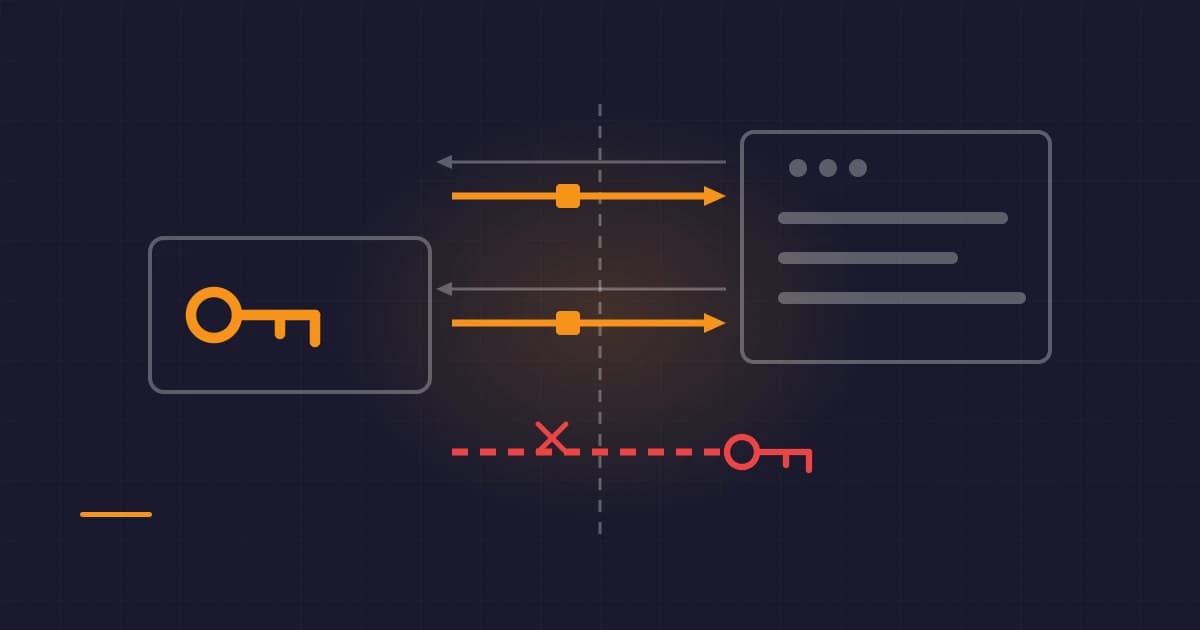
The alternative is remote signing, specified in NIP-46 as
Nostr Remote Signing. The key
stays in a signer app, the web app sends it an encrypted request over a relay, and the
signer sends back a signature. Two connection formats exist: bunker://, which the signer
generates and you paste into the app, and nostrconnect://, which the app generates and
the signer scans.
- Install a signer that speaks NIP-46: Amber on Android, or nsec.app in a browser.
- Put your key into it, or generate one there.
- On the web app, choose the remote signing or "connect" login option.
- Scan the
nostrconnect://code with the signer, or paste the signer'sbunker://string into the app. - Approve the connection in the signer, and set which permissions it may use without asking again.
The method to refuse
Some apps offer a box to paste your nsec directly. Do not use it with an identity you
care about. The app then holds your key, and given the paragraph above about rotation,
"then holds your key" and "owns your identity" are the same statement. If you must try an
app that offers nothing else, generate a fresh throwaway key for it and never reuse that
key anywhere.
Verify it worked
- Check the public key the app shows against the one in your signer. Compare the
first and last six characters of the
npubin both places. An app showing a different identity than you expected is the failure this check catches. - Publish a note, and read it from somewhere else. Open a second client, or a public
relay explorer, and find the note under your
npub. That proves the signature was valid and the event actually reached relays, rather than sitting in the app's local state. - Confirm the app cannot sign silently. Trigger another signed action and check that the signer prompts you, or that it is signing under a permission you deliberately granted. If a web page can sign anything at any time without you knowing, the extension is configured too loosely.
- Log out and log back in. A login that only works once, or that quietly stores your key in the page, will fail this.
If something goes wrong
The app does not offer an extension login. The extension is not injecting
window.nostr. Reload the page after installing, check the extension is enabled for that
site, and check it is not blocked in a private window.
Nothing happens when you approve the prompt. Some apps request an optional NIP-07
method the signer does not implement. The specification requires only getPublicKey and
signEvent; encryption and decryption are optional, and an app that assumes them will
fail silently against a minimal signer. Try a different signer before assuming the app is
broken.
The remote signer never receives the request. NIP-46 traffic goes over a relay, so both
sides must share a working one. Check the relay named in the bunker:// or
nostrconnect:// string is reachable, and try another.
Your note does not appear on other clients. You are probably publishing to relays that nobody else reads. This is a relay selection problem rather than a login problem, and the signature was fine.
You pasted your nsec somewhere you should not have. Assume that identity is
compromised permanently. Generate a new key, tell people through the old one while you
still control it, and accept the loss of the follower graph. There is no recovery
procedure, and anyone offering you one is running a scam.
Correction, 20 August 2026. An earlier version of this post described NIP-46 remote signing as experimental and said browser extensions were not supported on mobile browsers. NIP-46 is a settled specification with production signers, and Firefox for Android supports extension signers. Both statements have been corrected, and the guide now names the fact that a Nostr key cannot be rotated, which the earlier version omitted.